Check what is missing with Coverage
You get a list of the places where the evidence and the design don't meet: screens nothing backs, insights nothing uses, and themes that went nowhere.
Click Coverage in the tree. The heading is a count, such as "2 gaps · 1 unused insight · 0 unused themes". A gap is a prompt, not a warning. Some screens need no evidence.
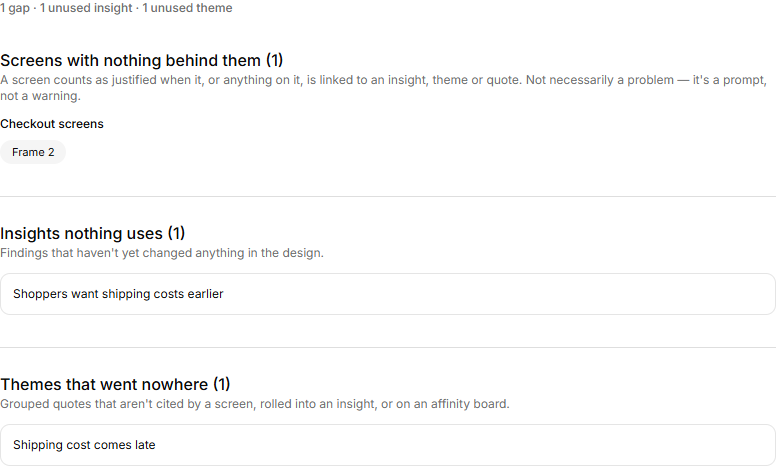
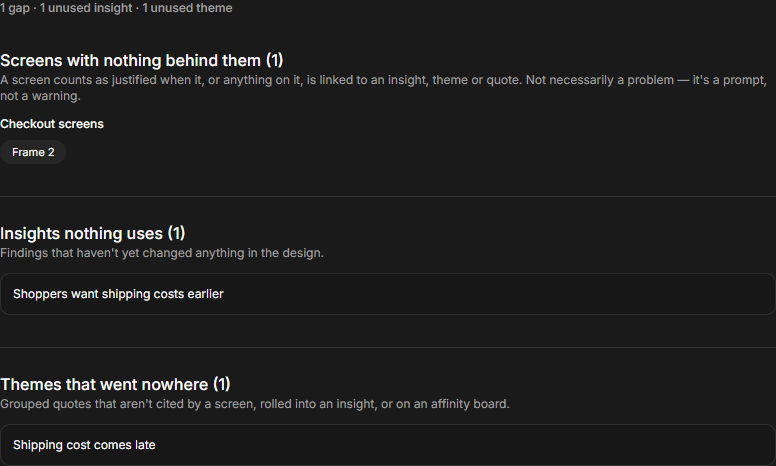
Screens with nothing behind them
A screen counts as backed when it, or anything on it, is linked to an insight, theme or quote. This section lists the screens that are not, grouped by prototype board. Click a screen to open it. Link evidence there: see Link evidence to a screen or element.
With no prototype in the project, the section says so, and the heading reads "No prototype board". With a prototype but no screens, the heading reads "No screens yet". When every screen is backed, it says "Every screen in this project cites something."
Evidence outside any screen
This section appears only when something needs it. It lists elements that carry evidence but sit outside every screen, so Present won't show that evidence. Click one to open it on its board, then move it into a screen, or link the evidence to a screen.
Insights nothing uses
An insight counts as used when a prototype screen or element cites it. The others are findings that haven't yet changed the design. Click one to open it.
Themes that went nowhere
A theme counts as used when a prototype cites it, an insight rolls it up, or it is on an affinity board as a cluster. What is left is quotes you grouped and never drew a conclusion from. Click one to open it. See Write an insight from your themes.
The same question from the other side
Used in, at the foot of a theme or insight, lists what cites it. A quote's card shows it too, once something cites that quote.